

Pocophone POCO F2 Pro by Xiaomi - Long-Term Review
Our Chief Aperture Officer, Lukasz, presents a long-term review of the POCO F2 Pro by Xiaomi. We discuss all of the aspects of the device, including the build, screen, software, cameras and connectivity. Check it out to see how he enjoyed using it as his main device for over 6 weeks.
We’ve been covering the Pocophone POCO F2 Pro by Xiaomi on the Tech Travel Geeks YouTube channel, including unboxing it and setting it up with MIUI 12, as well as sharing a detailed camera review and some sample footage.
After around 6 weeks of using it as my main device, I’m keen to share my thoughts on the build quality, performance, cameras, connectivity and overall thoughts about the device. Check our full video review embedded below, or continue reading for the written form instead.
You can get the Xiaomi POCO F2 Pro on Amazon here (affiliate link): https://amzn.to/30w3C22
Build Quality

POCO F2 Pro’s build quality is premium and feels good in hand
The build quality is great, with both the front and back covered with Gorilla Glass 5 for protection, and an aluminum frame for stability. The back is slightly curved with matte finish, making it feel quite premium. It looks good in the hand, but it’s quite a bit slippery, so I’ve personally been using a flip case, as I usually do - check our unboxing and first impressions video below.
One of my favourite design features is the red power button, which stands out quite nicely and is very recognizable. I also like the design of the circular camera unit, which comes with some great detailing and an embossed circle surrounding it.

POCO F2 Pro’s power button has a distinct red colour
The one thing I miss here is waterproofing. The phone is fine with some splashes of water and protected from dust, but I wouldn’t recommend putting it under water. I personally consider it quite an important feature, so it’s too bad that it’s not available here.
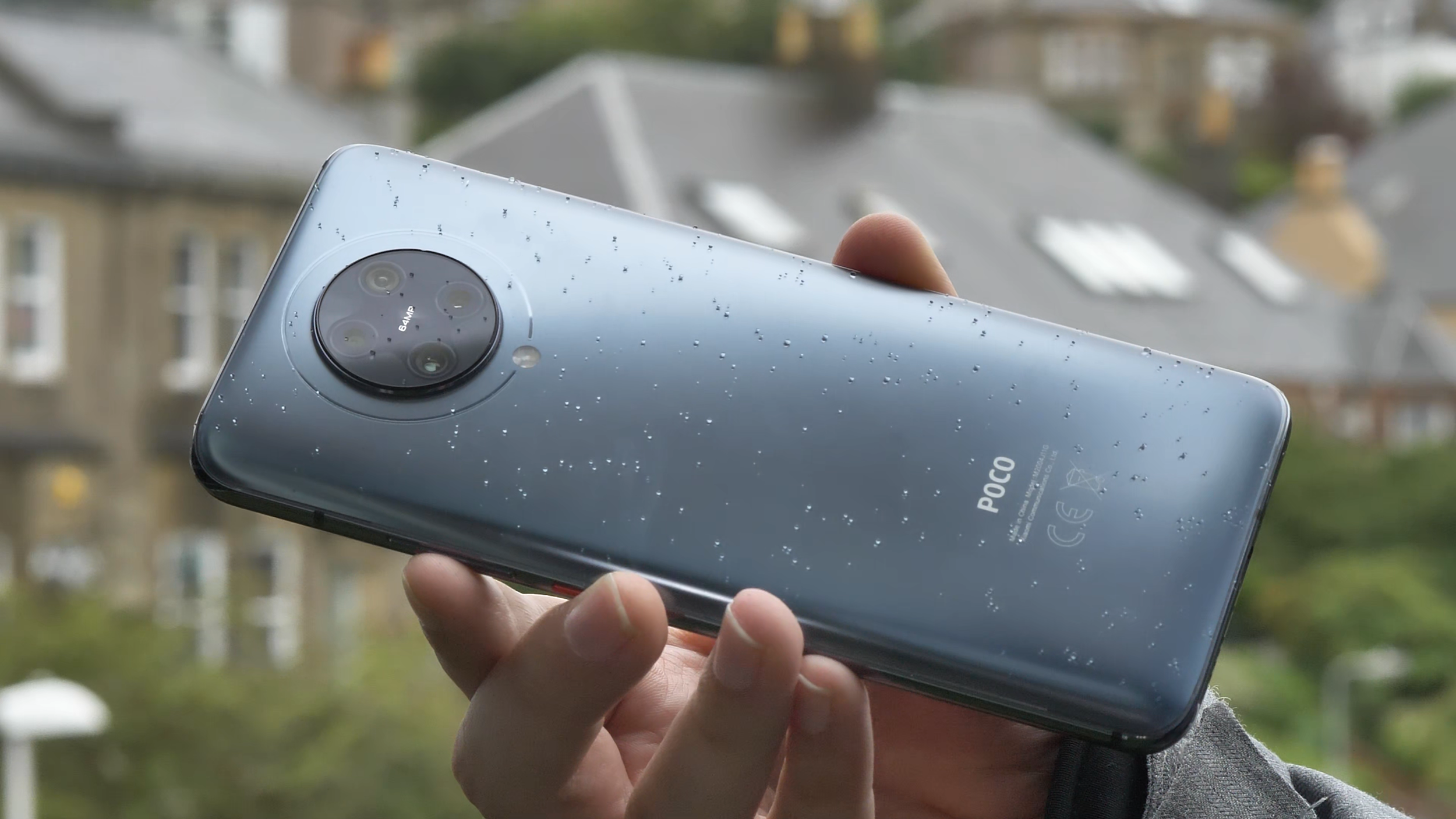
POCO F2 Pro lacks waterproofing, but can survive a bit of Scottish rain
The other thing to note is that the phone is quite chunky and heavy at 218 grams, and quite big thanks to the massive screen, which we’ll discuss just now.
Screen
The screen on the Poco F2 Pro is really good. It’s a Super AMOLED 6.67 inches diagonal screen with a 1080 x 2400 FullHD+ resolution and 20 by 9 aspect ratio. It’s quite bright and I’ve not had any issues with viewing it in brighter environments, but then again, I live in Scotland, so I’m not too demanding. The colour reproduction is good and you can even configure the colour gamut to your liking in software - plenty of choice here. The screen also supports HDR+. Unfortunately, there are no high refresh screen options, so it’s stuck at 60Hz, rather than 90 or 120 in some more expensive competitors.

POCO F2 Pro’s screen is bright, but with no high refresh rates
One of the key features of the screen though is that it doesn’t have any notches or cut-outs, and the bezels are really small. That’s thanks to the pop-up camera, which hides when it’s not needed, and only pops up when you have to use the front-facing camera. That makes the viewing experience much more enjoyable, so I’ve been thoroughly enjoying watching lots of YouTube and some Netflix on it.

POCO F2 Pro’s pop-up camera
And before anyone asks - the pop-up mechanism retracts automatically when it’s falling and it’s quite robust, so we’re not expecting any issues with it.
Performance
Similarly to its predecessor, the Pocophone F1 (check our full video review on YouTube), the F2 Pro also sports a high end spec sheet. It’s powered by the Qualcomm Snapdragon 865 octa-core chipset, which at the time of release was the highest end processor you could get. It also uses a highly-performant Adreno 650 graphics card.
I’ve spent quite a lot of time playing different games on it, trying to make it sweat, but I’ve struggled to do so. That’s probably thanks to this phone’s LiquidCool cooling technology, which ensures that the chipset isn’t throttled at any point, so it’s running at full speed for longer.

Call of Duty Mobile works great on the POCO F2 Pro
I tried popular shooting games like Call of Duty Mobile and Fortnite, and both worked great. I tested some of the most demanding 3D games, and they all worked great as well. I even tried to play some high end emulators like Playstation 2 and GameCube, and again, it was just pure joy. I managed to get almost consistent 60fps and quick load times on PS2’s God of War, compared to just 30fps on my one and a half-year-older Huawei P30 Pro. So, if you’re into gaming, getting a Snapdragon 865 device is a great option. Playing some games on a screen with no bezels and with a good game controller is definitely great fun, no matter if you like to play online, casually or enjoy high end gaming.

God of War on the DamonPS2 emulator works flawlessly in constant 60 frames per second
To round off the specifications, our model came with 6GB of memory and 128GB of storage, but there’s also an 8GB RAM with 256GB storage model as well. Unfortunately, there’s no memory card support, so be mindful of that if you want to store a lot of large games and videos on your device. You can check your phone’s configuration using the beautifully presented and useful “about phone” screen, which nicely brings me to the software experience.
Software
Poco F2 Pro runs Xiaomi’s MIUI software. It was recently updated to the latest MIUI 12, make sure you check our setup video below. The software is now more refined, especially when it comes to animations. My favourite feature is “super wallpapers”, which currently include Earth and Mars. If you enable always-on display, you can see the globe, which will then zoom in and show the animated wallpaper. When you swipe left or right, the animation will move accordingly. Luckily, it doesn’t move all the time, so it doesn’t cause any dizziness. This is different to “live wallpapers”, which are actually live animations and are constantly moving. To be honest, it’s not really something for me, but I guess some people might like it.
Overall, I’ve been enjoying the software experience on Poco F2 Pro. It is smooth and dynamic, and the Poco launcher is great for me. I enabled the split notification bar with the control centre, reminiscent of the user interface of a certain fruity company, after I got the update, and I’ve been quite happy with it, but it definitely required some getting used to.
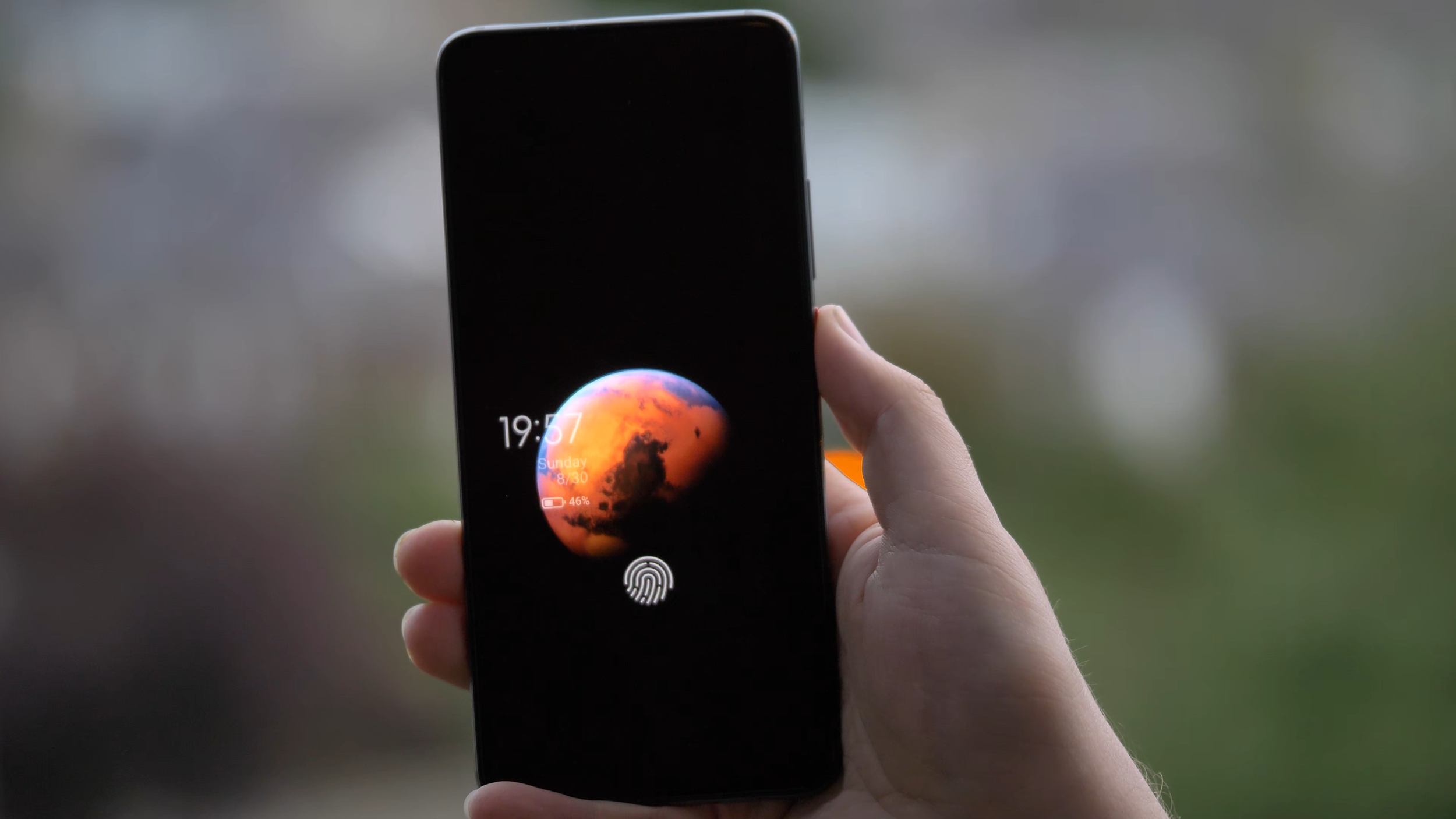
MIUI 12’s Mars “super wallpaper” is really impressive
I really liked how customisable everything is. For example, in the app drawer, I’m used to having the letters on the side to quickly jump to the app I’m looking for, but it was not there to start with. However, it turns out it’s easy to enable and works even better than I expected, as it temporarily highlights all the apps starting with that letter. The addition of search bar, frequently used apps and app categories to the side makes finding apps a breeze. You can even reorder those categories or disable some of them, that’s really great.

MIUI and the Poco Launcher are very customisable
When it comes to downsides, as mentioned in the setup video, there are quite a lot of preinstalled applications and games. Luckily, it’s possible to uninstall most of the apps and games from here, so it’s not a big problem. There is also some advertising within the software, including “promoted apps” in some of the folders. Luckily, you don’t have to use those folders and can create your own, so that’s not an issue either. You can also disable most of the ads - the one I removed was in the Security app. After installing apps from Google Play store, there is a security check for that app, and an ad pops up, but it’s possible to remove it easily, so it hasn’t been a problem for me.
As I was writing this section, I got a software update with the July 2020 security update and some fixes, including screen responsiveness when unlocking. I hope this helps with the fingerprint scanner, which brings me to the next point, security.
Security
When it comes to security, there are plenty of options. My usual favourite is the fingerprint scanner, which I’ve been using the most. Unfortunately, the under-screen reader on the Poco F2 Pro is not the best I’ve used. It is a bit slower than I’m used to, and I’ve had times when my fingerprint wouldn’t get recognized even after a few attempts. However, the animation is great and the haptic feedback is good, so it’s just that it’s not always recognizing my fingerprint fast enough.

POCO F2 Pro’s fingerprint scanner is nicely animated, but not the fastest or most accurate we’ve used
The other option, other than patterns and pass codes, is face unlock, which uses the pop-up selfie camera of the Poco F2 Pro. It’s actually fast and handy, but it requires an extra swipe to unlock and it takes a moment to happen. But it’s definitely a nice party trick, and the LED lights by the selfie camera are just mesmerising. Which brings us to my favourite section - cameras.
Photos
The Poco F2 Pro has quite a robust quad camera setup, consisting of a 64 megapixel f/1.9 main sensor, 13MP ultrawide lens, 5MP telemacro lens and a 2MP depth sensor for portrait shots. And overall, it does a good job to deliver nice photos, but not in all the situations. Let’s go through some examples.

POCO F2 Pro’s camera array
I really liked many of the photos taken with the main lens. By default, it does what’s called pixel binning, so it combines each 4 pixels into one that’s an average of the four, which is actually better, since each pixel is bigger and can collect more light. Because of that, most of the images are 16 megapixel, which is plenty for any camera. If you need 64 megapixel photos, you can enable that mode, but unless you need to shoot a photo for a billboard, I wouldn’t recommend it.




To take 64 megapixel photos, you need to use the Pro mode, which also allows you to control all the parameters like aperture, shutter speed, ISO or to focus manually. You can also shoot RAW photos in this mode - I wish there was an option to have RAW output in all situations, not just in Pro.

Pro mode in the F2 Pro’s camera app
I especially liked portrait and aperture photos, which came out quite nicely in most cases, probably thanks to the additional depth sensor. Look at this photo - you can see how the hair is nicely kept in focus, while the background is accurately blurred.

Portrait mode on POCO F2 Pro is quite good
However, I did have a few situations where the focus wasn’t right, especially for some objects. I was especially hoping for this photo to come out nicely, but instead of focusing on the flower, the camera focused on the hand. It’s still a lovely photo though.

POCO F2 Pro focusing on the hand rather than the flower
In some other cases, the colours were unfortunately a bit oversaturated, like this strawberry or some of the flower photos I took. Even more so, this was visible with the grass in some of the photos. It might be actually related to the auto HDR mode, which I normally have on, so you might want to be careful with that.



I really liked the wide angle lens, it complemented the main lens quite nicely. I managed to take some really nice photos with it, so no complaints, I really like taking nature photos with it, and it’s also great for some architecture photos.





The camera app also shows the option of two times zoom, but unfortunately, they’re just using the main lens and zoom in digitally, like you could do in any editing software by just cropping the image. Because of that, the photos come out a bit pixelated. It’s a bit of a shame, as having a good optical zoom lens is always great.

2x zoom images get pixelated as the images are cropped rather than using an optical zoom
The 5MP telemacro lens is instead used for macro shots. And they are actually quite nice if you remember to switch the super macro mode on. I especially like this photo of Thanos’s Infinity Gauntlet.

Macro mode on POCO F2 Pro is decent, but not as useful as a potential zoom lens
Poco F2 Pro’s night mode is decent, especially with the main lens. I’ve seen a few photos with some colour shift, but most of them were quite good. Check those really nice photos in Edinburgh during the festival of light here. Most of them came out surprisingly well, so no complaints from me. Just make sure to enable night mode, as the main lens’s aperture isn’t that wide at f/1.9.






Video
When it comes to video recording, I’m quite happy, especially with the wide range of resolutions and modes available. Check our sample video below, and for more sample footage, check our full camera review above, which has more samples embedded.
The mode most people will likely be using is 4K 30 frames per second, and I really like the video quality. If you haven’t already, make sure to check our sample video, link in the description. Both the quality and stabilization are really good. One thing to remember is to avoid really fast panning movements, but that’s the same for all cameras, as the rolling shutter affects mobile cameras quite a lot.
There’s also 4K 60 frames per second, which is great for a bit of slow motion footage - however, to make it slow motion, you need to use some editing software. What’s good about it is that you can record quite long videos with it, unlike some slow motion modes.
When it comes to slow motion, you get a range of different frame rates and resolutions, as with many modern phones. You can get bursts of up to 960 frames per second in HD resolution, and up to 240 frames per second in Full HD resolution. Just be careful, as you need a lot of good lighting for decent video quality.

The camera app offers a wide range of frame rates and slow motion options
Speaking of resolution, thanks to the Snapdragon 865 chipset, the Poco F2 Pro is capable of recording 8K video. Since the adoption of 8K screens is minimal, I’d say this is more of a gimmick for now, unless you have a very specific use case. Since it’s double the resolution and 4 times the number of pixels, you can zoom in after the fact and get additional framing without losing any quality. So if your video is supposed to be 4K, you can zoom in on the face, or in my case, the guitar, and still have great quality after the fact.
However, there are some downsides. First, the stabilization doesn’t work as well and there can be some stutter. The file size can get quite big. And finally, two of my Windows machines experienced strange issues with artifacts when viewing the footage in different media players, probably due to codecs. The problem disappears when you convert the footage or upload to YouTube though. However, for now, I’d say mobile 8K is not ready for prime time just yet .

8K video as viewed on VLC Media Player on Windows 10 with default codecs
The video from the wide angle lens has been really good as well, especially for nature shots. Check out the next clip, recorded in 4K using the wide angle lens and with audio straight from the phone.
The selfie video camera is all right. Unfortunately, there’s no wide mode and there’s no 4K, but the normal 1080p is good, as you can see from this short video from Dunfermline in Scotland. The dynamic range is also good.
Overall, I’m very happy with the video capabilities of the Poco F2 Pro, and quite impressed by close up videos.
Overall Camera Thoughts
All in all, I’m really happy with the cameras on the Poco F2 Pro. They’re quite flexible thanks to a good main sensor and a capable wide angle lens. I especially liked the aperture shots, but I might just be overusing them a bit. It’s too bad there’s no real telephoto lens, but it’s understandable at this price point. The video capabilities are really good, especially the image stabilisation and the wide range of modes, so I’m really happy about that. Granted, it’s not the best camera set you can find on a phone right now, but if you’re looking for a very reasonably-priced phone with excellent performance and a good set of cameras, I would recommend this as a potential option, especially if you find a good deal for it.
Battery life and charging
The battery life on the Poco F2 Pro has been fantastic. The device is powered by a huge 4700 milliamp hour battery and it easily lasts the full day of heavy usage. I’ve had more than 7 hours of on-screen time, and that’s really impressive.

The battery is really great, managing a full day’s worth of usage and more
The phone comes with a 30W fast charger, which should charge your phone in just over an hour. In my testing, it wasn’t as fast unfortunately, but I got from 5% to 25% in 13 minutes and to full in one hour 45 minutes, which is still good for such a big battery.

Unfortunately, there’s no wireless charging, which is quite unfortunate, but was needed to keep the price lower.
Connectivity
As far as connectivity is concerned, the phone actually supports 5G, which is a first for me. Recently, the Three network enabled a tower here in Edinburgh, also thanks to our Chief Mobile Opinionist, Matteo, who requested it for our phone tests, thanks for that! On our walk, we got amazing download speeds of more than 600 megabits per second, which is almost twice the fastest broadband I was able to get. This is just crazy. One thing to note, the connection was appearing as either LTE or 4G+ rather than 5G, while Matteo’s OnePlus Nord was showing up as 5G, but the speeds were very similar. Either way, more than half a gigabit per second is crazy fast, so I’m looking forward to seeing it available in more places than just near that one tower in Edinburgh.

While not recognized as 5G, POCO F2 Pro’s download speeds get to around 600Mbps near 5G towers
Other than that, you get all of the latest connectivity options like Bluetooth 5.1, so you can connect all of your favourite devices, as well as WiFi 6 and NFC for payments, which are all great to see. It also supports dual SIM, if that’s something you need.
Audio
The other thing worth mentioning is audio quality. Unfortunately, the phone only comes with a single down-facing speaker which is of decent quality, but a stereo set would be much appreciated.
On the positive side, the phone sports a 3.5mm courage port or headphone jack, so I’m able to rock the Sony XM4 headphones both wirelessly or with a wire. This should help when we’re back travelling, in case I run out of headphone battery.

POCO F2 Pro sports the courage port, also known as the headphone jack
Conclusion
Overall, I’ve really been enjoying using the Poco F2 Pro so far. It’s a great device with excellent performance and smooth software experience at a price much lower than most flagship devices. I got my 6GB version from BangGood for £380, shipped from Spain, but the price is actually going further down and can be found unlocked for around £350, which is amazing.
Granted, the camera setup could be better if there was a proper telephoto lens, the waterproofing and wireless charging are missing, and some might want faster screen refresh rates, but I found those missing features reasonable and have been really happy with my purchase. I’ll definitely continue using this phone, if only to play some games with the highest performance available.
Thanks for checking this detailed review of the Pocophone POCO F2 Pro by Xiaomi. If you haven’t already, make sure to subscribe to our YouTube channel to get notified about our latest videos.

Redmi Note 8T Review - The Actual Review
Majid actually gets round to reviewing the Redmi Note 8T after his long introduction.
Ok, with all that preamble and context out of the way, why did I choose the Xiaomi Redmi Note 8T? At TechTravelGeeks.com we are no stranger to Xiaomi, the Chinese smartphone and consumer electronics brand. You can check out our videos of the Xiaomi Mi 9T on the Tech Travel Geeks YouTube Channel.
Frankly, the decision all came down to the price and the device’s value proposition. As stated in the my introduction, I needed something inexpensive, but also with reasonable grunt and a promise of some updates. Put these 3 ingredients together into your mixing bowl and Xiaomi is one of the first brands that comes to mind (Honourable mentions to Huawei/Honor & Moto G in this segment).
So, having been burnt recently by eBay (did I mention something about a stolen Note 9…) and because I have the benefits of Amazon Prime, i headed to Amazon.
What I saw on Jeff’s site was astonishing: a phone with a quad camera, waterdrop FHD+ display, 4GB RAM, 64GB storage (plus Microsd expansion), dual SIM, Snapdragon 665 (which is roughly on par with the 835 or the 710) for close to £150 ($200). Dubious? Check it out on Amazon here: https://amzn.to/38b9LTR
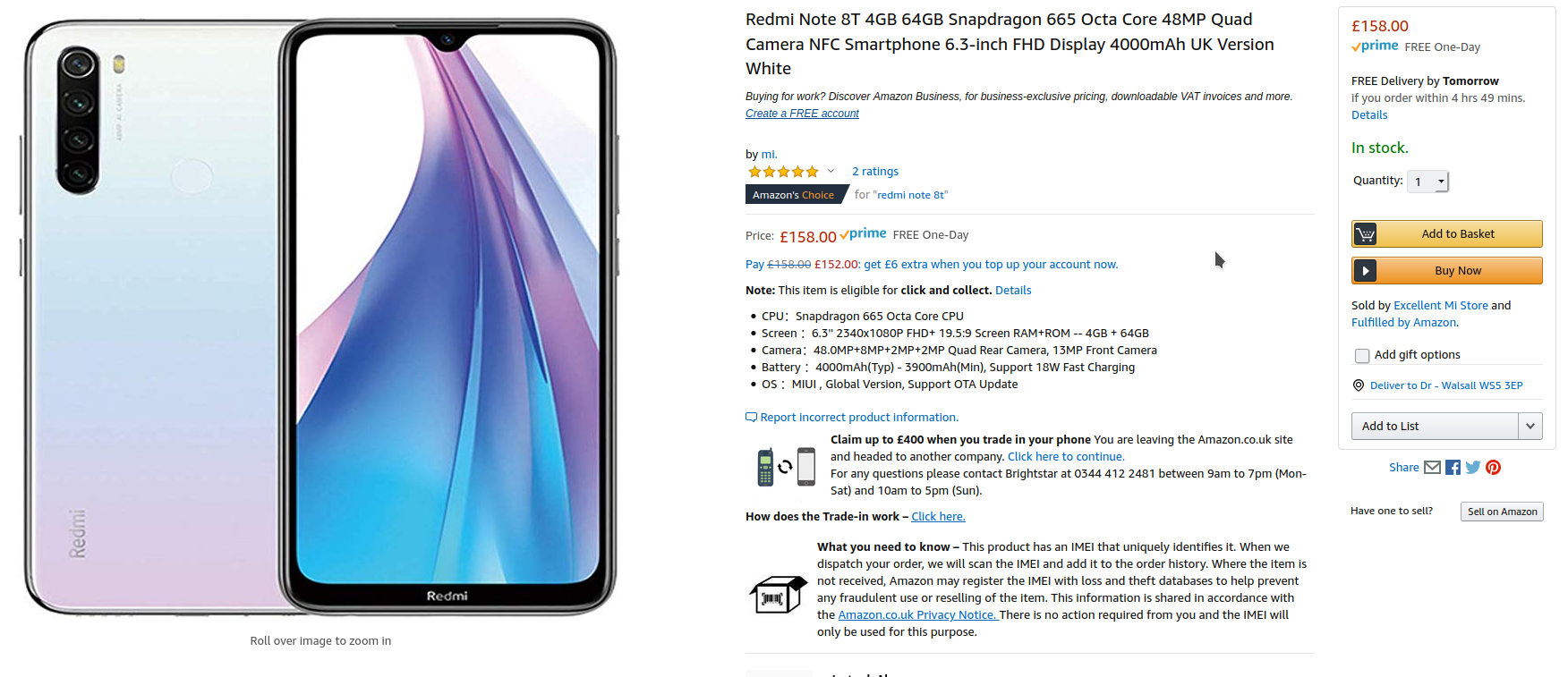
Subsequent research found that this was the T model with the extra RAM and base storage. A standard Note 8 with 3GB/32GB is available for about £140, and a Pro version with a 64MP Camera and 6GB RAM 128/256gb of storage can be had at just around £200 (depending on storage).
I am sorry but this to me is just silly. This amount of computing power at this price? I did a little bit of digging around in the reviews and apparently the 3GB version is a bit under-powered. But that didn’t change anything. I ended up clicking the “Buy Now” button.
But we all know that specs don’t tell the full story. Samsung have for many years had top-of-the-line specs but stuttery performance. LG sometimes bring great innovation, but are largely ignored. Even the Google Pixels have a tendency to slow down over time. iPhones have tended to offer better experiences than their specs may suggest. I’m not even going to go into synthetic benchmarks, they may have a role in comparisons of chipsets (like when I was trying to figure out what kind of performance to expect from the 665) . But in the end real-life performance is what counts.
HARDWARE
The Note 8T is a veritable sight to behold. Yes its the usual glass sandwich, but it feels really well built, lovely to hold. In the white finish that i have, frankly it felt like an iPhone 11 (which is £600 more expensive). It just oozes quality. I’ve asked unsuspecting friends and family how much they think it costs and most reply between £400 and £500.
There is a 6.3 inch FHD IPS LCD display. Its a pretty good display, good viewing angles and colour reproduction. Sometime you get a bit of LCD back-light glare and it wont beat the AMOLED screens out there, but it’s still really good for content consumption via YouTube or Netflix. I’ve been using a curved screen (my OnePlus 7 Pro) and I actually found it refreshing to go back to a flat screen. I think curved screens may start going out of fashion as they can cause distortion at certain viewing angles though no doubt they are more immersive.
The back has one of my favourite features, a rear mounted fingerprint scanner. I love the ergonomics of these and whilst the in-display tech may be cool, it’s just functionally not as good
The bottom has 3.5mm jack, or as Matteo would call it a Courage Port, and a USB-C charging port. There is a down facing speaker which is a bit tinny and lacks base, but is perfectly fine for my uses.
On the side is the dual SIM tray, which can house 2 nano-sims + Micro SD card. This makes it extremely versatile. NFC is also on-board for all your contactless needs.
SOFTWARE
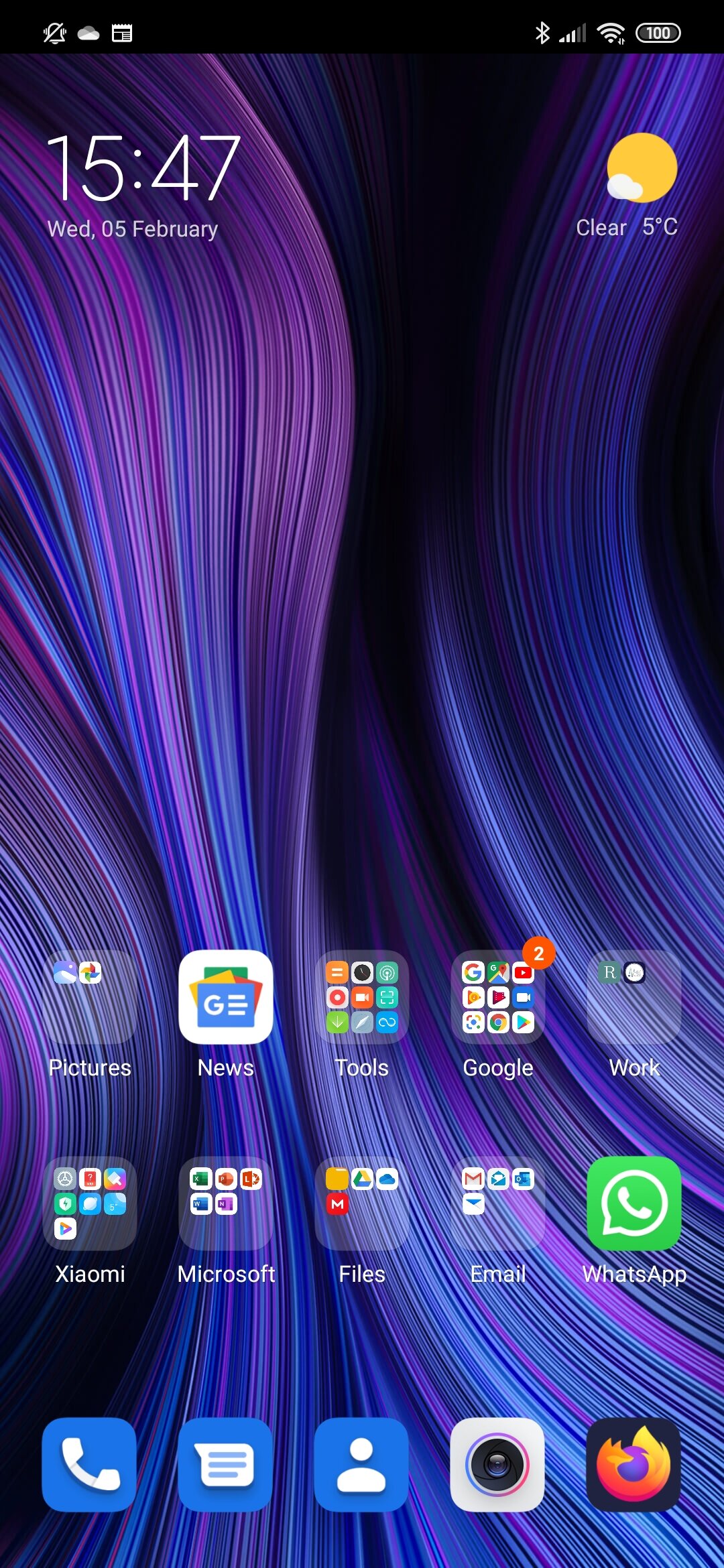
Out of the Box the device runs MIUI 10 on top of Android 9 Pie. However on first boot, the device updates to MIUI 11. MIUI has a reputation for being an iOS clone, and I can see why, no app drawer and similar shortcuts folders, even the colour palette in the settings. But I must say this iteration has definitely got a look and feel of its own and doesnt feel like some rip-off.
I thought this iOS-ness would annoy me. Which it often does. The lack of an app drawer, as found on other Android devices is annoying. Yes, i know I can get a third party launcher. But I’m actually going to stick with it for as long as I can. It works well, incorporates a lot of the gesture navigation from Android 10, Split-Screen is better than “stock” and it is heavily customisable with a dedicated theme store. I am annoyed that there are a lot of pre-installed apps which I can’t hide or disable. Bear in mind my use case though.
This is a device I am using specifically for work. I am not going to have the 300+ apps on it as I do on my OnePlus 7 Pro. Its gonna have some Office, Email, Messaging and specific medical apps. This means even with a bit of folder chicanery, i can have a single homescreen. Lets see how long this lasts. There is a degree of duplication of apps (Mi Browser + Chrome, Mi Cloud + Google Drive) but that’s not unexpected. Whilst i dont expect to be able to uninstall the Mi apps, the fact that the Google services were system apps was surprising as I thought European rules had stopped them doing so.
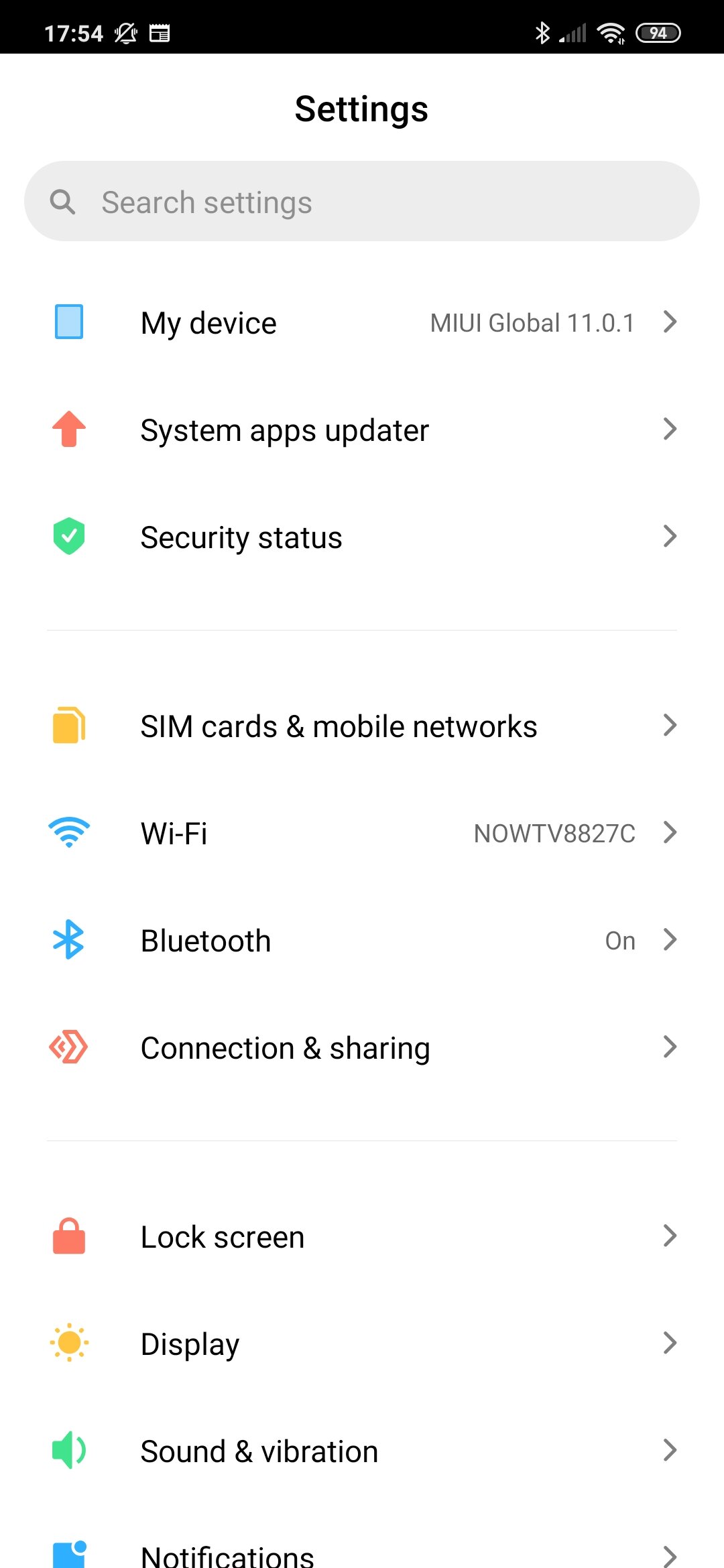
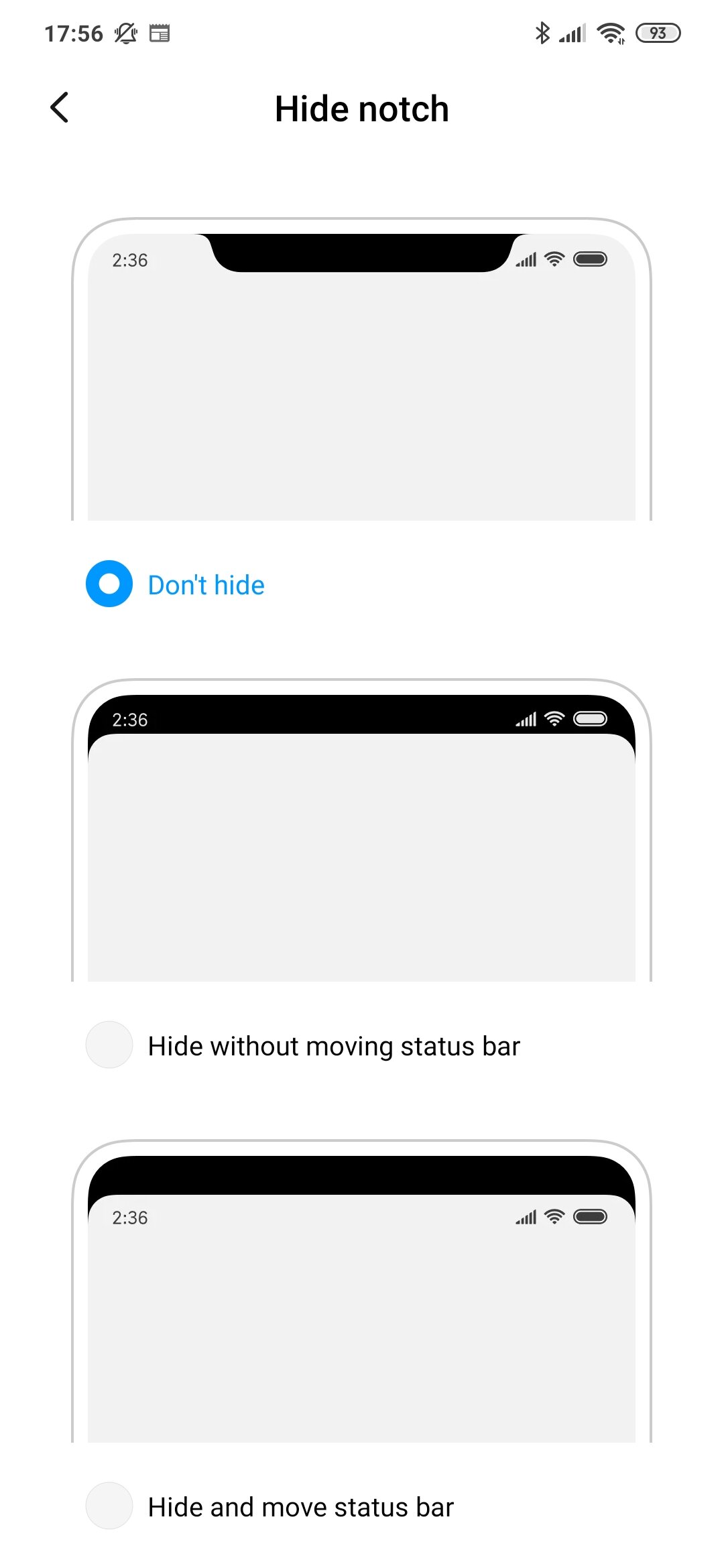
There’s a stack of data management and battery management tools to keep your device running smoothly and as it was “out of the box”. It’s a very granular system and means that you can fully control what each app is doing or can do with your battery and precious data. Stop background data, stop cellular data and more – it’s all there and it’s very easy to understand. You can even decide how the notch looks/behaves!
There is the odd bit of “weirdness”, bluetooth not connecting properly or the Wifi Hotspot being a bit hit-and-miss. Nothing too serious, and it is somethhing that i’ve noticed with XIaomi and MIUI devices before. I’m assuming its software related. Not a deal-breaker though.
PERFORMANCE
I was very happy with the performance. The Snapdragon 665 is verry similar to the 835 of a few years ago. I had no slowdowns, at times there were minute stutters, but I have a feeling this is more to do with miui then anything. The RAM management is aggressive, but since I’m running a relatively small number of apps it wasnt an issue for me. Video playback and Sound quality were good. I think proper AAA gaming might be a bit of a push, but it wouldnt have any problem with most titles.
BATTERY
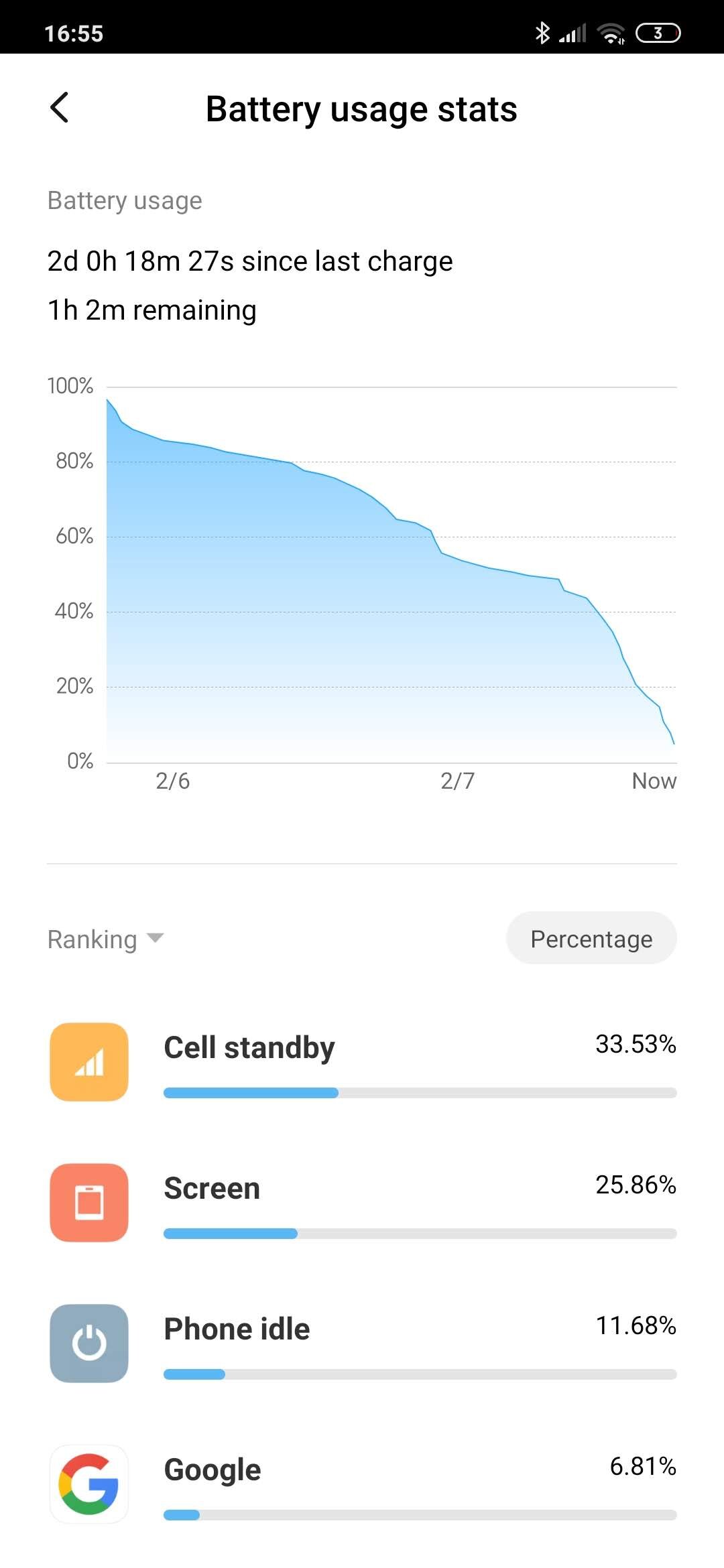
The Note 8T come with 4000mA battery, and with an 18W Fast-charger. There are reviews out there talking of 2 day battery-life. MIUI does have a raft of power-management tools and I actually think this is achievable. Now, I have to qualify this by saying that this is a second device therefore doesn’t get as much use as my primary device. But the fact remains that 24+ hrs after I took it off the charger it still has 55% battery-life left means this is a bloody champ. Very Impressed. It finally died over two days later
CAMERA
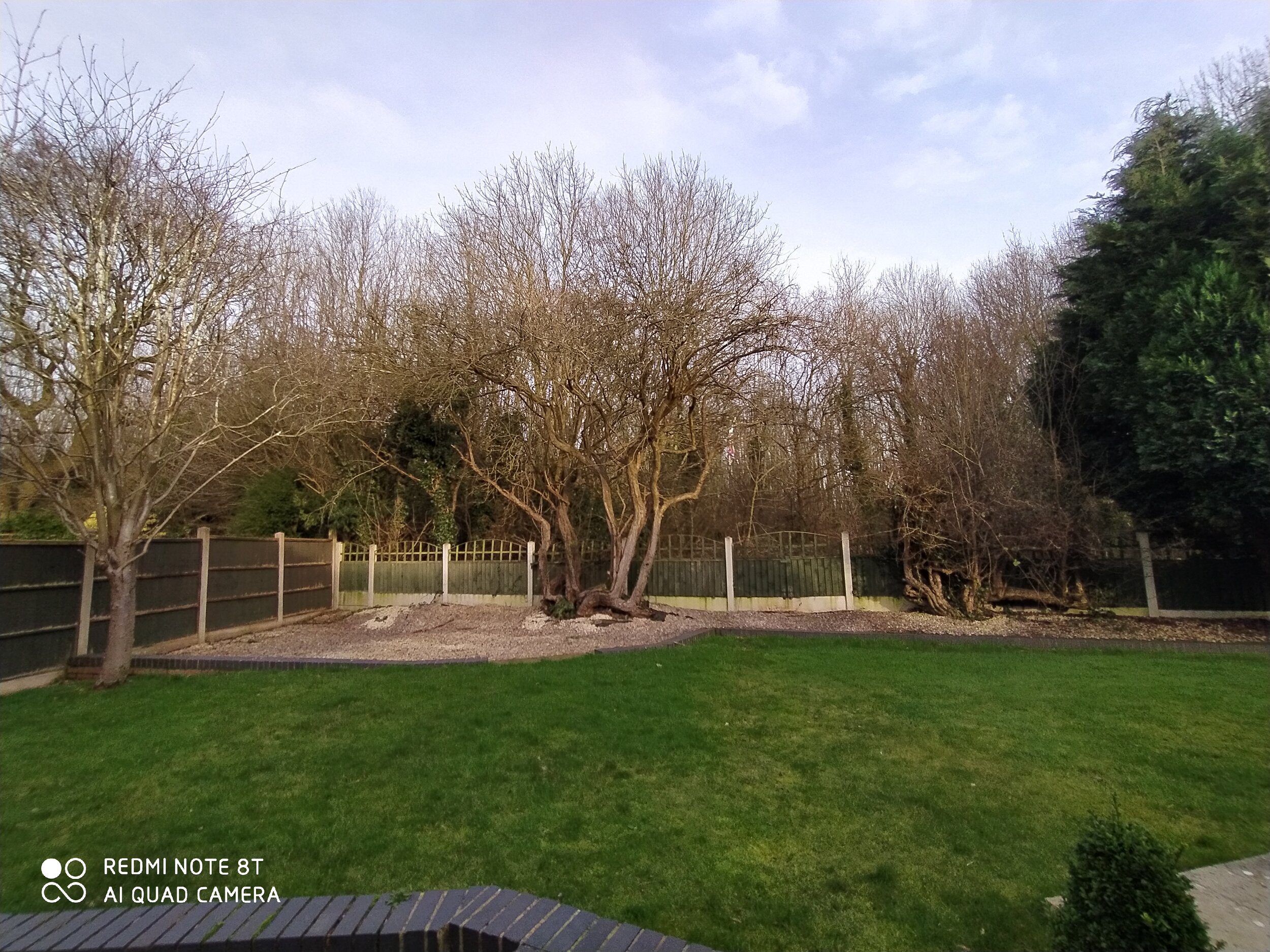
The device has an AI enhanced quad camera system, with a 48MP main lens, with an 8MP wide-angle lens, and a 2MP Macro lens, AND another 2MP depth sensor. All of this means its actually a damn good camera. HDR is switched off by default (for some reason) but all the photos come out very reasonable indeed. There is some degradation of quality in low-light situations, and the Night Mode doesnt do much to enhance night shots. But still good nonetheless. The 13MP front sensor is reasonable at selfies too, with a dedicated portrait mode
Anyway, here are some samples

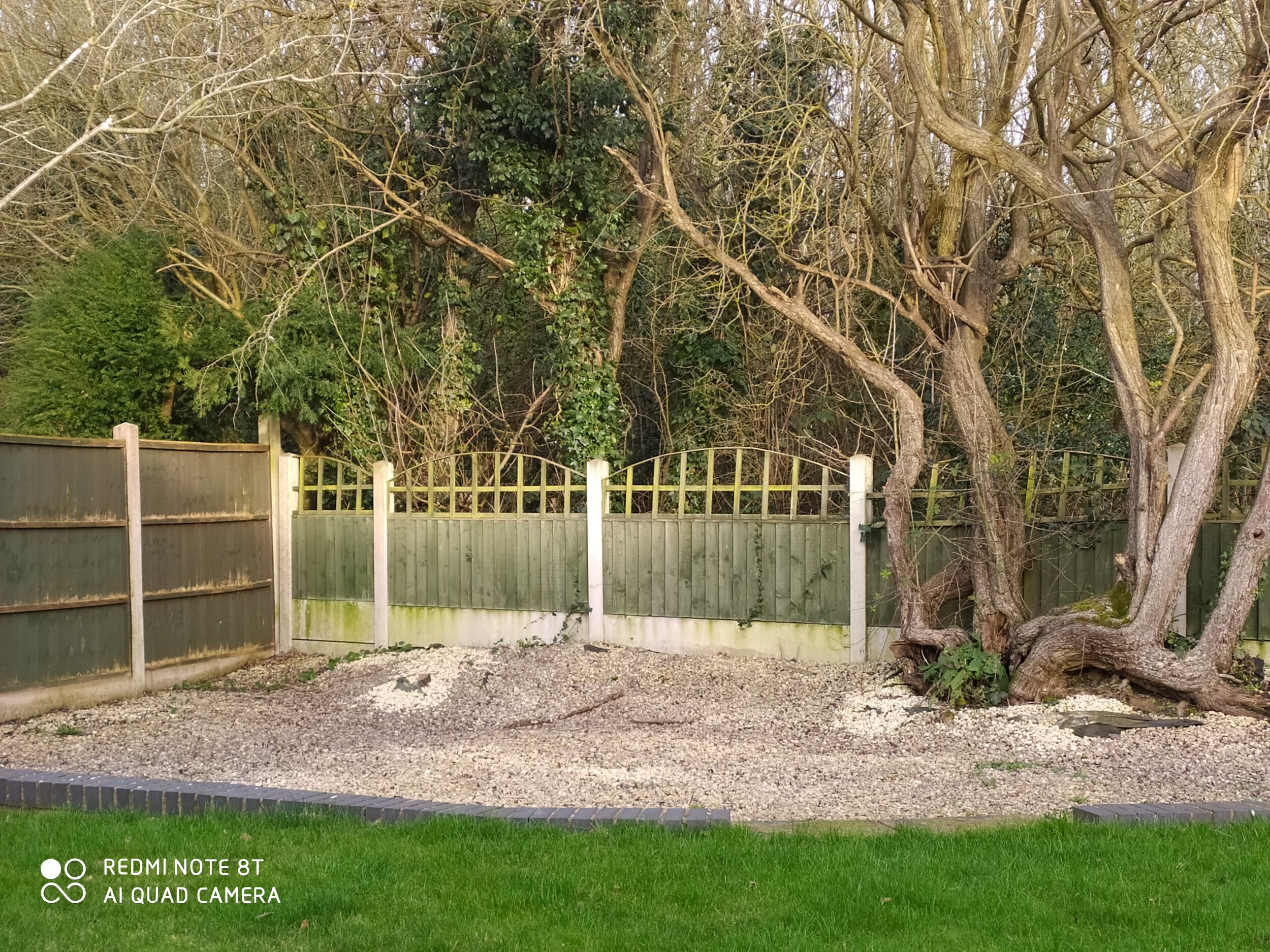


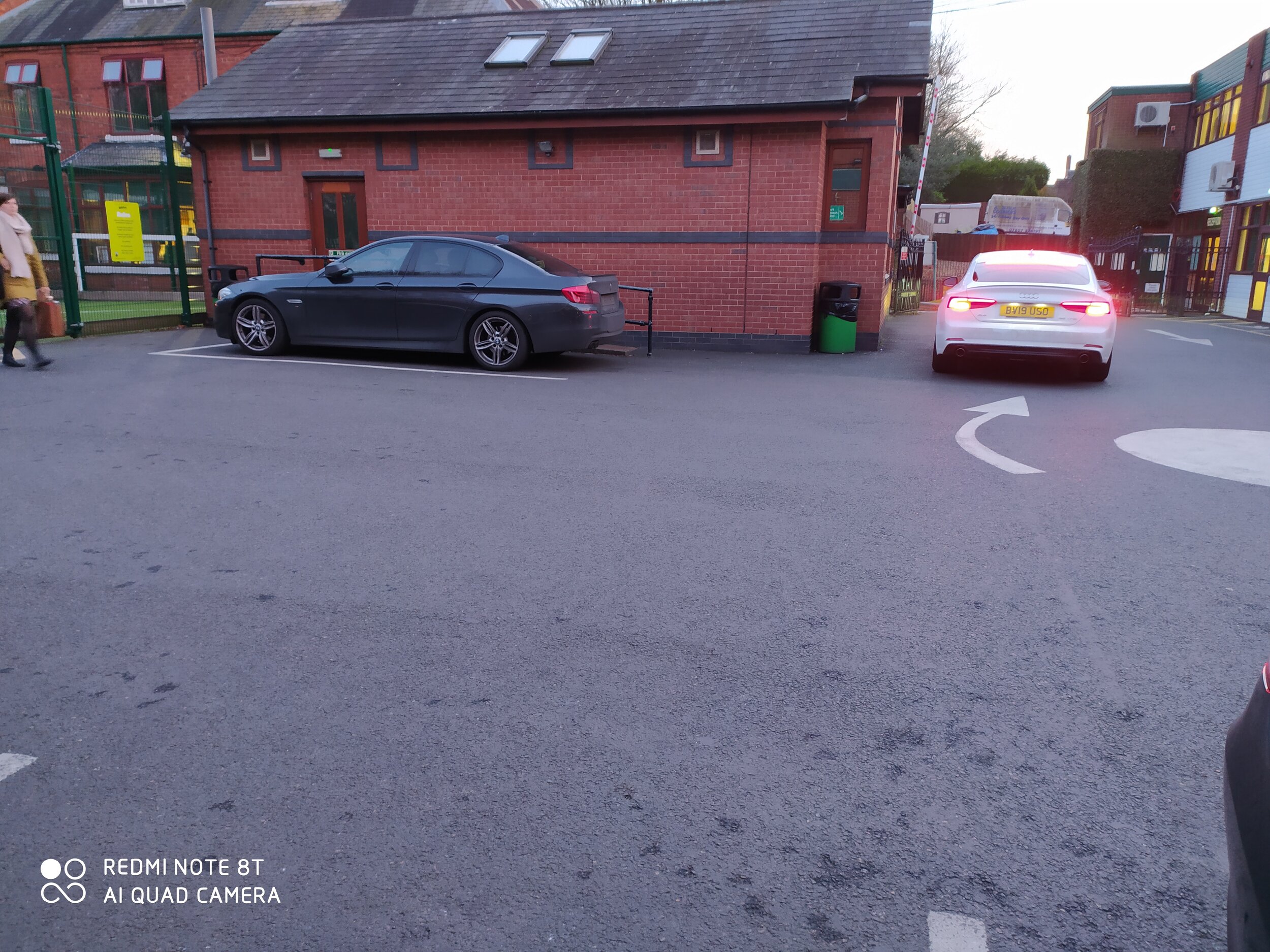
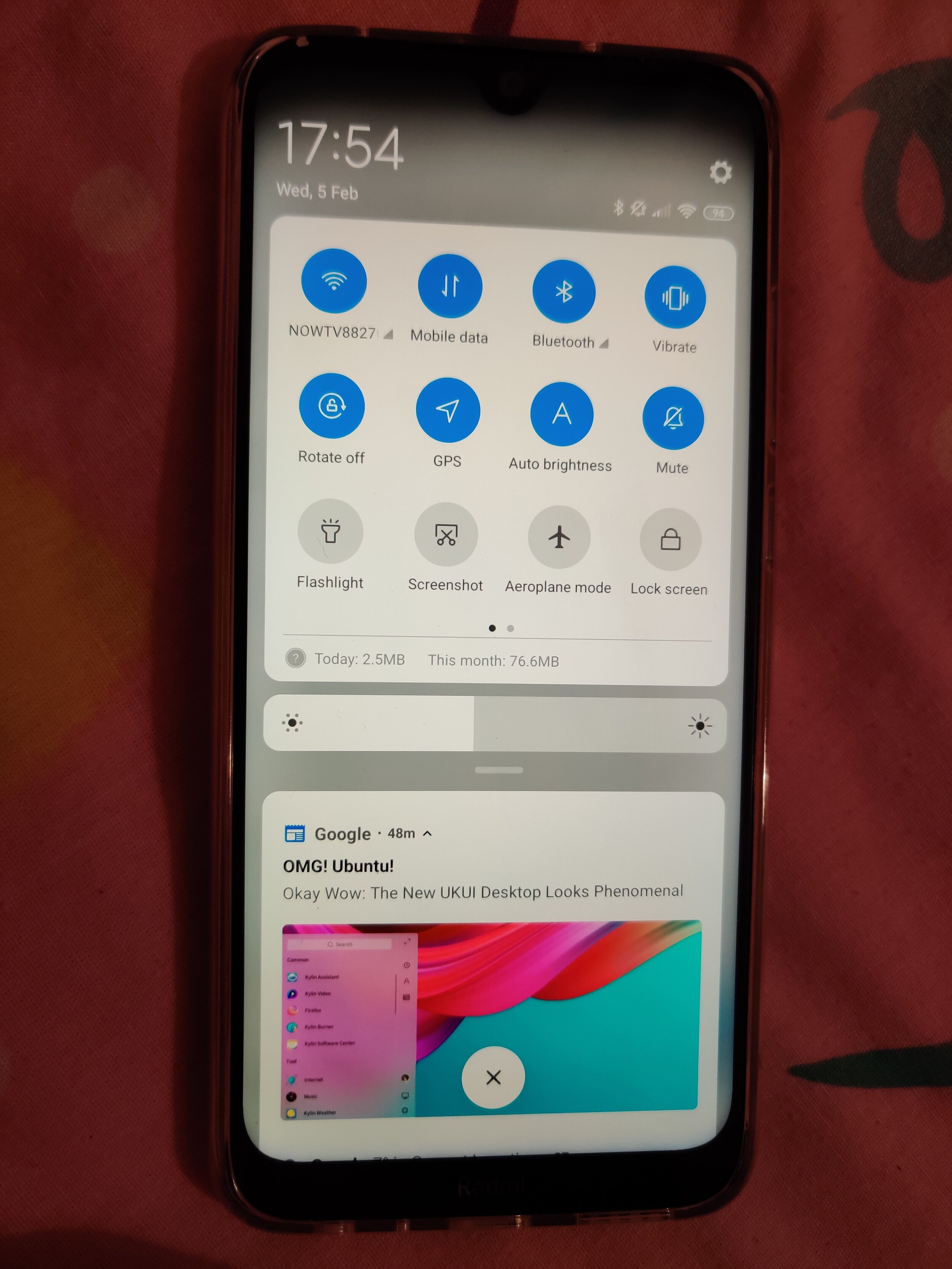


The Video is slightly more nuanced. There is Full HD upto 60fps, whilst eh front facing 13MP sensor maxes out at 1080p@30fps. It seems 4K isnt stabilised, and can be quite choppy. This is also slightly noticeable 1080@60fps, but it wasnt as significant or obvious as the 4k footage. I had a bit of difficulty uploading these, so unfortunately you’ll just have to take my word for it! Maybe we’ll be able to host them on our YouTube Channel https://www.youtube.com/techtravelgeeks
CONCLUSION
You know that thing of “if it sounds too good to be true, it probably is”? Well, this device might prove me wrong. It really has made me think of some preconceptions I had about mobile devices. We have such amazing computer power in our phones, that an unashamedly budget device could legitimately giving an experience up there with the top-end (maybe even flagship) devices. Frankly it could be the daily driver for many people and nobody would even realise the low price.
So in conclusion, I can recommend the device wholeheartedly. Majid says….YES
You can purchase the Xiaomi Redmi Note 8T here: https://amzn.to/38b9LTR

This Week in Mobile - Xiaomi and Huawei Mix it up!
Welcome to This Week in Mobile, Tech Travel Geeks' weekly column covering what has happened in the world of mobile. If we haven't covered it on Tech Travel Geeks we'll link to the best content on the web.
I'll just put this out there before I type any more: though this post is being published on April 1st 2018 there are no April fools in here. None. Don't bother looking for any. It is pointless to search for an Easter Sunday Aprils fools in here.
This week two of the biggest handset manufacturers in the world released their new flagships. Xiaomi announced the Mi Mix 2S and Huawei announced the P20 range (P20 Pro, P20 and P20 Lite). Both these manufacturers happen to be Chinese and both are expanding globally.
I'm particularly interested on what comes from China in the mobile space and always actively use at least one device from Xiaomi and one from Huawei. Currently I'm using a Xiaomi Mi 6 and a Huawei Honor View 10 (as well as a Huawei Honor 7X).
Xiaomi Mi Mix 2S
The Xiaomi Mi Mix 2S
Xiaomi started the bezelless craze a while back with the original Xiaomi Mi Mix. My friend Iain has one and he very kindly let me play around with it. It is a lovely premium device.
This week Xiaomi announced the Mi Mix 2S, which is the latest version of their bezelless line. Powered by the latest and most powerful chipset from Qualcomm, with a dual camera on the back, a 18:9 aspect ratio display and ceramic and metal build the device sits comfortably in the premium category of smartphones.
Xiaomi Mi Mix 2S front and back
I expect this device to sell well in Asia and southern European markets where Xiaomi is already a popular brand. An important ingredient to the recipe of the future success of the device is pricing: the entry level model (with 6GB of RAM) starts at around $530 and the top end model (with 8GB RAM) will be around $650. Dan Seifert over from The Verge explains more in the video below.
Huawei P20 Range
Huawei's P series devices are their flagships, usually launched in the first half of the year. This week the Chinese manufacturer announced the P20 line.

Huawei P20 Series
At the top of the range the P20 Pro sits with a 6" AMOLED screen (with a notch), a large battery, AI capable chipset and software and a new triple camera on the back.
Huawei P20 Pro technical specifications at GSMArena.com.
The cameras, one 40MP, one 20MP and one 8MP, paired with Huawei's own chipset and software are the main highlight for me. This weekend I caught up with our friend Jonathan Morris from jmcomms.com and saw what the camera can do in person. I was really impressed by the results, and look forward to hopefully having a Huawei P20 Pro of my own next week.
Check out Jonathan's content on the Huawei P20 Pro over at jmcomms.com.
Alex Dobie over at Android Central did a great preview of the P20s and also released a great video about it. His description of the camera setup of the P20 Pro as "absolutely bonkers" is pretty much spot on.
The Huawei P20 and P20 Lite fill in the lower price categories all the way down to the mid-range while bringing the same design language and most of the same software features.
Huawei P20 technical specifications at GSMArena.com.
Huawei P20 Lite technical specifications at GSMArena.com.
The P20 Series from Huawei touches on the mid-range, with the P20 Lite, and all the way up to the high end with the P20 Pro. The P20 Pro puts itself in the same category as the Google Pixel 2 XL and Samsung Galaxy S9 Plus with price, but promises better cameras thanks to the partnership with Leica. I look forward to bringing you my impressions once I get my own P20 Pro.
Tesla Model 3
This weekend I found myself informed and amused by the Modern Dad (Phil Nickinson) and Mr Mobile (Michael Fisher) videos about the Tesla Model 3. Check them both out below.
Great videos which get me thinking: how quickly is the driving experience going to change in the next few years? Phil's perspective as a dad whose daughter is going to be learning to drive soon is interesting and his logic is sound.
I'm sure Lukasz has certain opinions and expectations of the Tesla Model 3, so I'll let him start thinking of writing a post about it soon...
Thanks for reading this far if you have. We will wrap up this week's edition of This Week in Mobile here. We'll be back next week, safe travels!